
Turn browsers into buyers.
Vivollo answers order and shipping questions, recommends from your live catalog and handles returns — so customers get instant help and you capture more sales, on every channel.
- Instant order & shipping answers
- Live product recommendations
- Fewer abandoned carts
Answer 'where's my order?' in seconds
Vivollo looks up the real order and shipping status from your store and replies instantly — deflecting the question your team answers most, day and night.
Recommend the right product, instantly
Ask about size, color or use-case and Vivollo searches your live catalog, suggests what's in stock and sends a product carousel — turning a question into a cart.
Handle returns without a human
Vivollo reads your return policy, checks eligibility and starts the return — resolving a frustrating moment in one conversation instead of three emails.
From setup to selection
Let customers browse without leaving the conversation.
Build the product experience once, show live results in the channel, and keep the same context when your team opens the conversation.
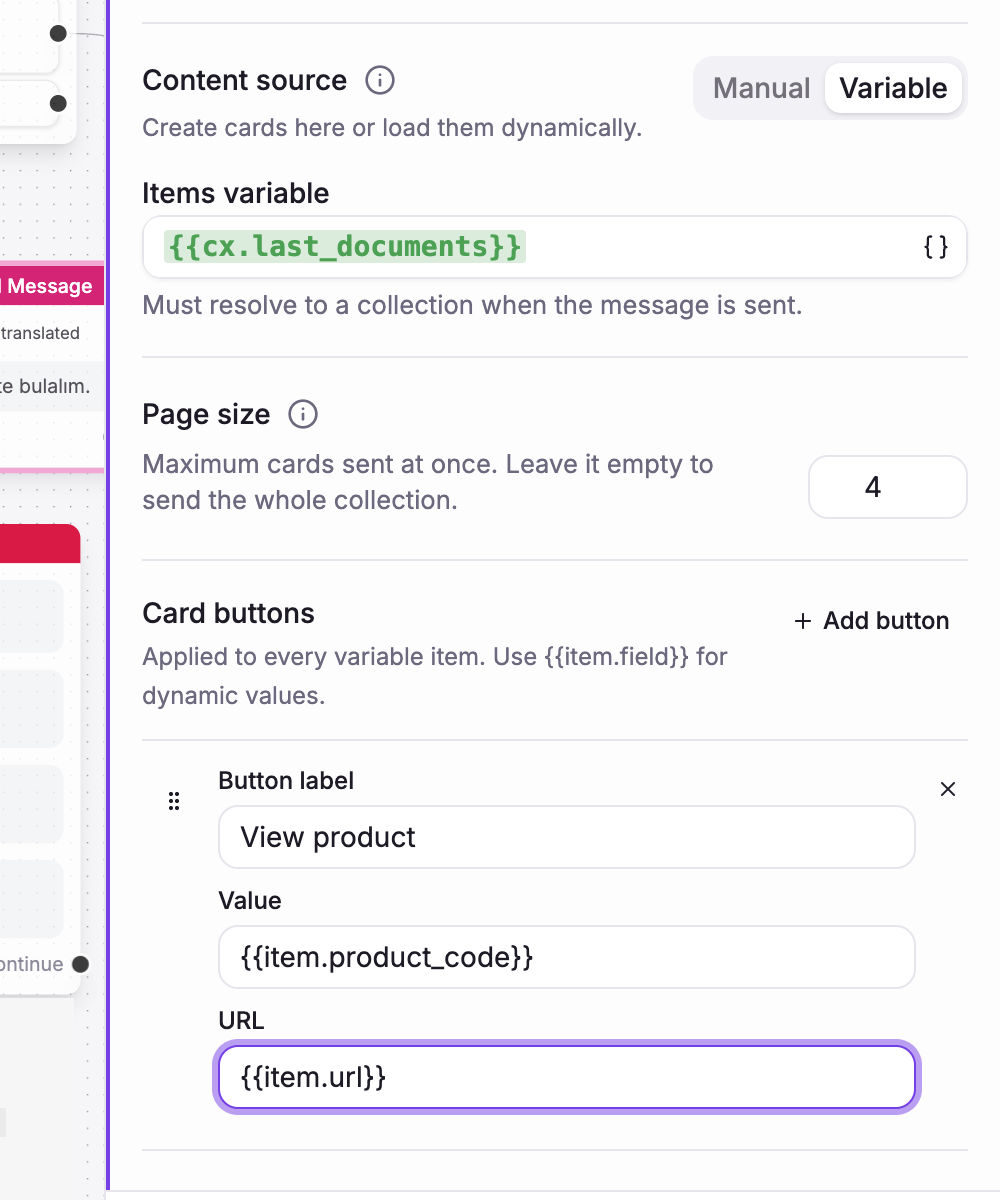 01
01Connect live results
Use a search or API result as the source, choose the page size, and define the product action once.
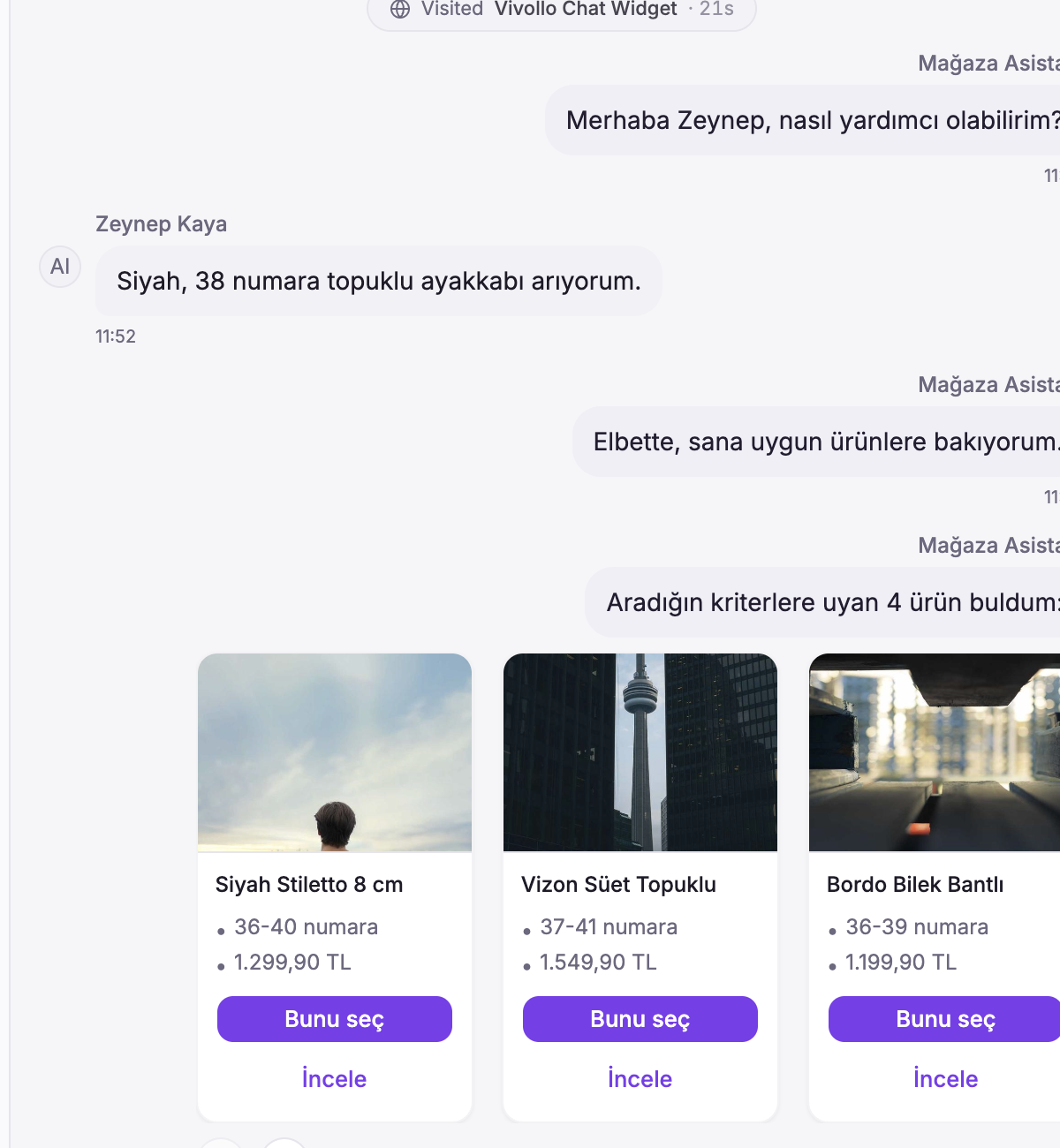 02
02Show the products
Customers browse a clear product carousel and continue to the next page when they want more choices.
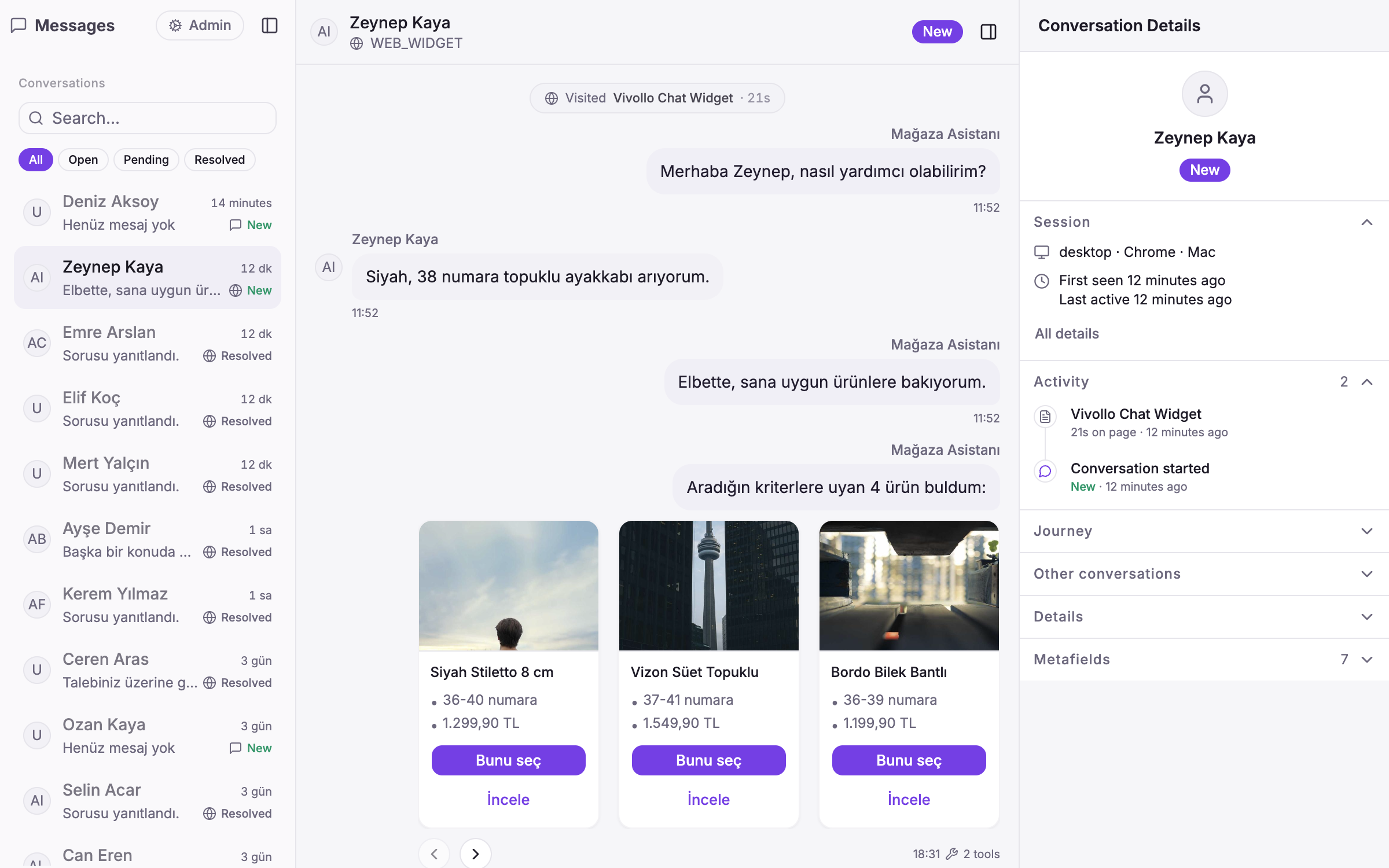 03
03Keep the context
The inbox keeps the carousel, page details, delivery state, and AI tool activity together for your team.
Trusted by teams like yours





From flowers to footwear, Turkish e-commerce teams run their support and sales on Vivollo.
Ready to meet your AI agent?
Book a demo and we'll build a working agent on your real data — across WhatsApp, Instagram and your website. Live in days.