
Channels overview
Connect the places where customers contact you and the systems that hold your commerce data.
Channels connect Vivollo to customer messages and business data. Add and manage them from Channels in the panel.
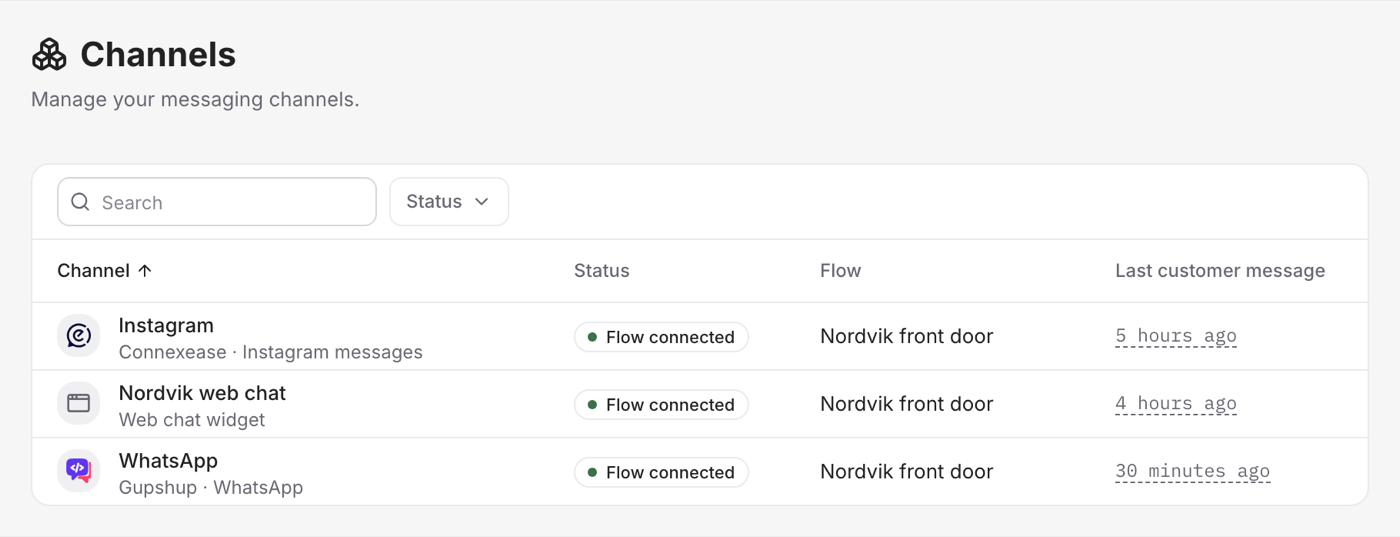
Conversation channels
| Channel | What it connects |
|---|---|
| Web widget | Chat on your website |
| WhatsApp conversations through a supported provider | |
| Direct messages and post comments | |
| Help desks | Connexease, Gupshup, and Grispi conversations |
Messages use your existing flows, assistants, knowledge, and guardrails. You do not need to rebuild the agent for every channel.
Rapid messages can be grouped before the agent replies. This helps the agent answer the customer's complete thought instead of replying to each short message separately.
Commerce connections
Shopify, WooCommerce, Ticimax, and Trendyol connect catalog and order data. They are not messaging channels. The assistant uses them to search products, check stock, or look up an order.
Where to start
Use the web widget for the quickest test. It only requires an embed script. WhatsApp, Instagram, help desks, and stores need credentials from the connected service.