
Connect your WhatsApp Business number and use the same assistant, flows, and inbox you already use in Vivollo.
Connect WhatsApp to answer questions, look up orders, and recommend products in the app your customers already use.
Connect your number
You can connect WhatsApp in two ways:
- Gupshup — enter your API key and app name. Vivollo checks the details and connects the WhatsApp number linked to that app.
- Connexease — connect your Connexease account, then choose its WhatsApp channel. See Help desks.
You need an active WhatsApp Business account with the provider you choose.
What works on WhatsApp
After you connect the channel, your assistant can:
- Send and receive text messages.
- Receive customer images and send media.
- Show option buttons and product carousels.
- Use the same flows, knowledge, and customer context as your other channels.
If a customer sends several short messages in a row, Vivollo waits briefly and answers them together.
Send buttons and carousels
Use Send message in Flow Builder:
- Choose Options for a short list of buttons.
- Choose Carousel for swipeable cards with images and actions.
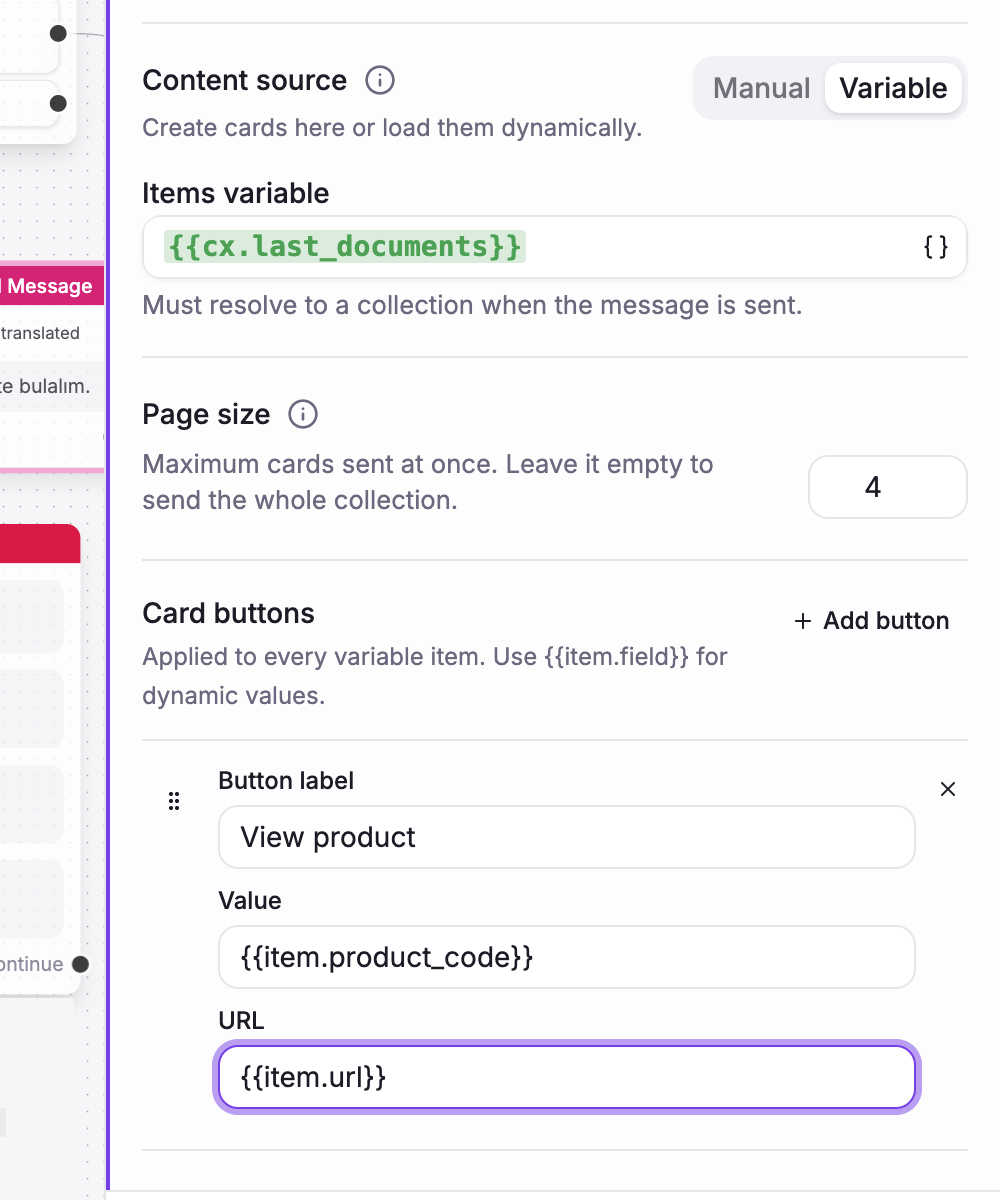
- Choose From variable to build the buttons or cards from a live search or API result.
WhatsApp shows up to three option buttons or ten carousel cards in one message. Every carousel also needs a short intro message. The editor warns you when a page is too large for WhatsApp.
Through Connexease, the carousel is delivered as one WhatsApp message instead of one message per card. The customer's choice returns to the correct step in the flow.
The 24-hour rule
You can send a normal reply for 24 hours after the customer's last message. After that, WhatsApp requires an approved message template.
Vivollo checks this rule before sending through Gupshup or Connexease, so a reply that WhatsApp would reject is not shown as sent.
Keep one setup for every channel
You do not need a separate WhatsApp assistant. The same knowledge, flows, and assistants can answer on your website, WhatsApp, and other connected channels.