
Knowledge gaps
See what customers asked that the assistant could not answer, and write the answer.
When customers keep asking something the assistant answers badly, Vivollo collects it. You will find it as Suggestions in Knowledge — next to the articles, because that is where the fix goes.
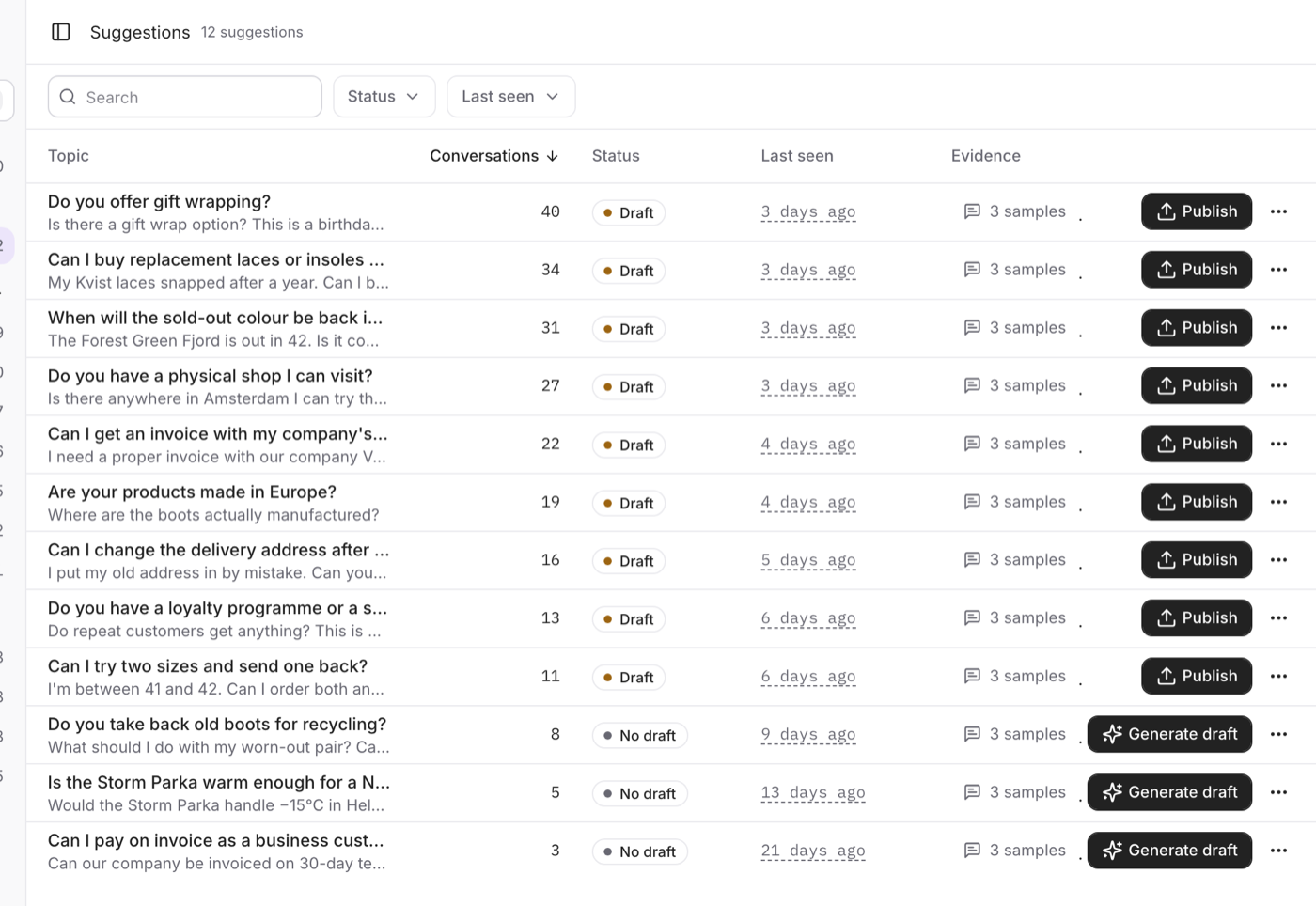
Read the list
Every row is one recurring topic:
- Topic — what customers were asking about.
- Conversations — how many it affected. Start at the top.
- Status — No draft, Draft or Published.
- Last seen — whether it is still happening or already fixed.
- Evidence — the actual customer messages behind it. Open them before you write anything.
Narrow the list by searching, by Not published, or to the last 7, 30 or 90 days.
Write the answer
- Read the evidence. Sometimes the answer exists and is worded badly; sometimes it is genuinely missing; sometimes it is not your assistant's job at all.
- Generate draft writes a starting point from those conversations.
- Edit draft — replace anything generic with your real policy, prices and dates.
- Publish. It goes straight into your knowledge base as an article.
- Ask the assistant the same question and see for yourself.
Dismiss a topic that is wrong or already covered. It is hidden, not deleted — generating a draft later brings it back.
A generated draft is a starting point, not an answer. Nothing reaches your knowledge base until you publish it yourself. There is a limit of 20 AI drafts a day for the whole team.
Suggestions need conversation analysis, so they come with Insights on your plan.
Working through the top of this list is the single most effective thing you can do for answer quality: every topic you close is a question the next customer gets answered without waiting for a person.