
Adding content
Connect a website, help center, store, Drive folder or your own API.
A source brings content in and keeps it current. One collection can use several. Everything a source imports appears under Synced content.
Available sources
- Sitemap or URL — import a whole site from its sitemap, or pick the exact pages you want. Pages that need JavaScript to render are handled.
- WordPress or Zendesk — your help center's articles, with their categories and tags.
- Google Drive — pick the Docs, Sheets, Slides, PDF, Word, Excel or text files you want. Each file becomes a document, and an edit in Drive is picked up on the next sync. Only the files you pick are read.
- Store — products, prices, stock, images and variants from Shopify, WooCommerce, Ticimax or Trendyol. Some platforms also bring their Q&A content. See Commerce.
- External API — send records from your own system through the API.
Keep it current
Choose how often Vivollo checks: Once, Daily, Weekly or Monthly, or every few days, weeks or months.
Use a short schedule for things that move — stock, prices, a help center your team edits weekly. Policies that rarely change can wait longer.
A connected store syncs daily, and price and stock are read from the store at the moment a customer asks, so what the assistant quotes is never a stale number from last night's sync.
Manage a source
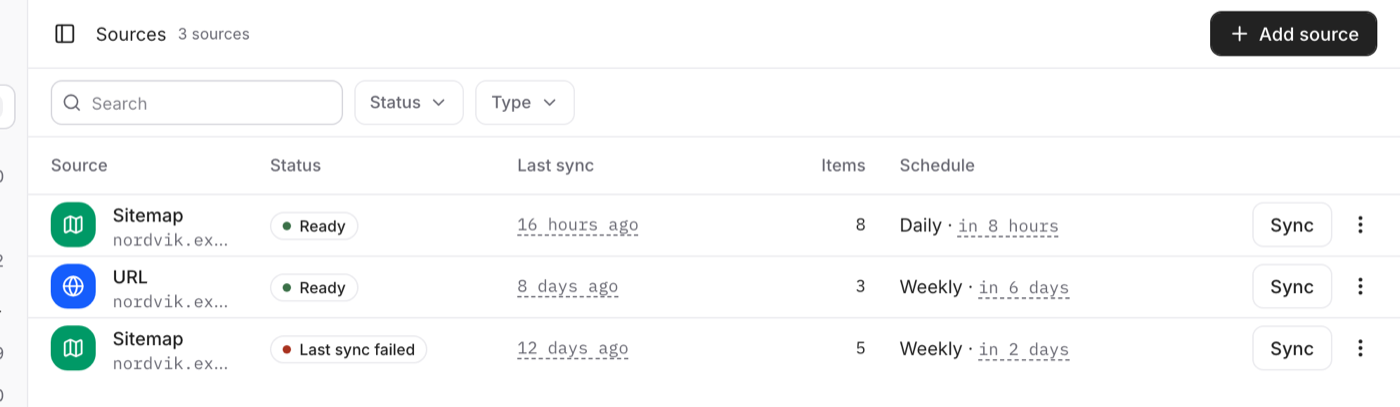
The Sources list shows each source, its type, its schedule and its state — including Needs attention when a run did not finish. From a source you can:
- Sync it now instead of waiting for the schedule
- Change or pause the schedule
- Review the last run: what it imported, and what failed
- Delete it
Deleting a source also deletes every document it imported. Nothing else is touched, but that content is gone for good.
After a big change on your side, sync the source by hand and test the assistant rather than waiting for the next run.