Vivollo

Dashboard

Your at-a-glance home in Vivollo — how busy your agent is, how it's performing, and what needs your attention.

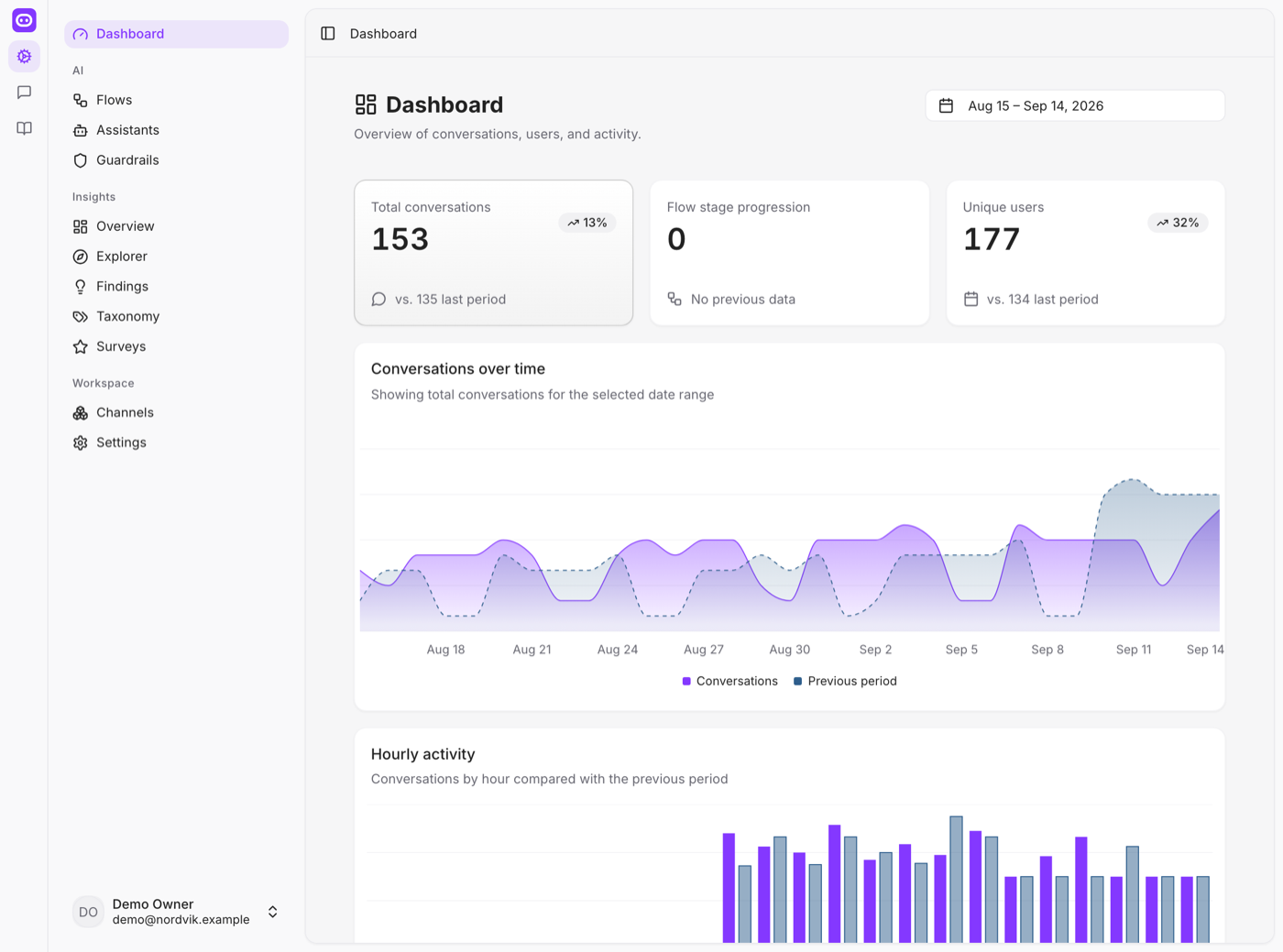
The Dashboard is the first thing you see when you open Vivollo, and it's designed to answer one question in a glance: how is my agent doing right now?

Think of it as the pulse. You don't come here to dig — you come here to get oriented, spot anything unusual, and decide where to look next.

What you'll see

The Dashboard pulls together the headline numbers from across the platform:

  • Conversation volume — how many conversations are happening, and how that's trending over time. A glance tells you whether today is quiet, normal, or a spike you should staff up for.
  • Agent activity — how much your flows and assistants are handling, and how the automation is performing.
  • What needs you — the conversations and signals that want a human eye, so nothing important slips by.

Everything respects the date range you choose, so you can look at today, the last week, or the last month without leaving the page.

Make the Dashboard your morning coffee stop. Thirty seconds here — is volume normal? anything flagged? — is usually all it takes to know whether it's a business-as-usual day or one that needs your attention.

Where to go from here

The Dashboard is a launchpad, not a destination. Once something catches your eye, the rest of the platform is one click away:

  • See the deeper numbers and trends → Analytics
  • Read and join live conversations → The inbox
  • Understand why customers are reaching out → Insights

If a number on the Dashboard ever makes you ask "why?", that's your cue to head into Insights — it's built to answer exactly that.