
Agentic AI
Let an assistant use tools and handle a customer request across multiple steps.
Agentic AI is a flow action that lets an assistant decide which steps and tools it needs to handle a request. Use it when a task may require more than one lookup or action.
What it can do
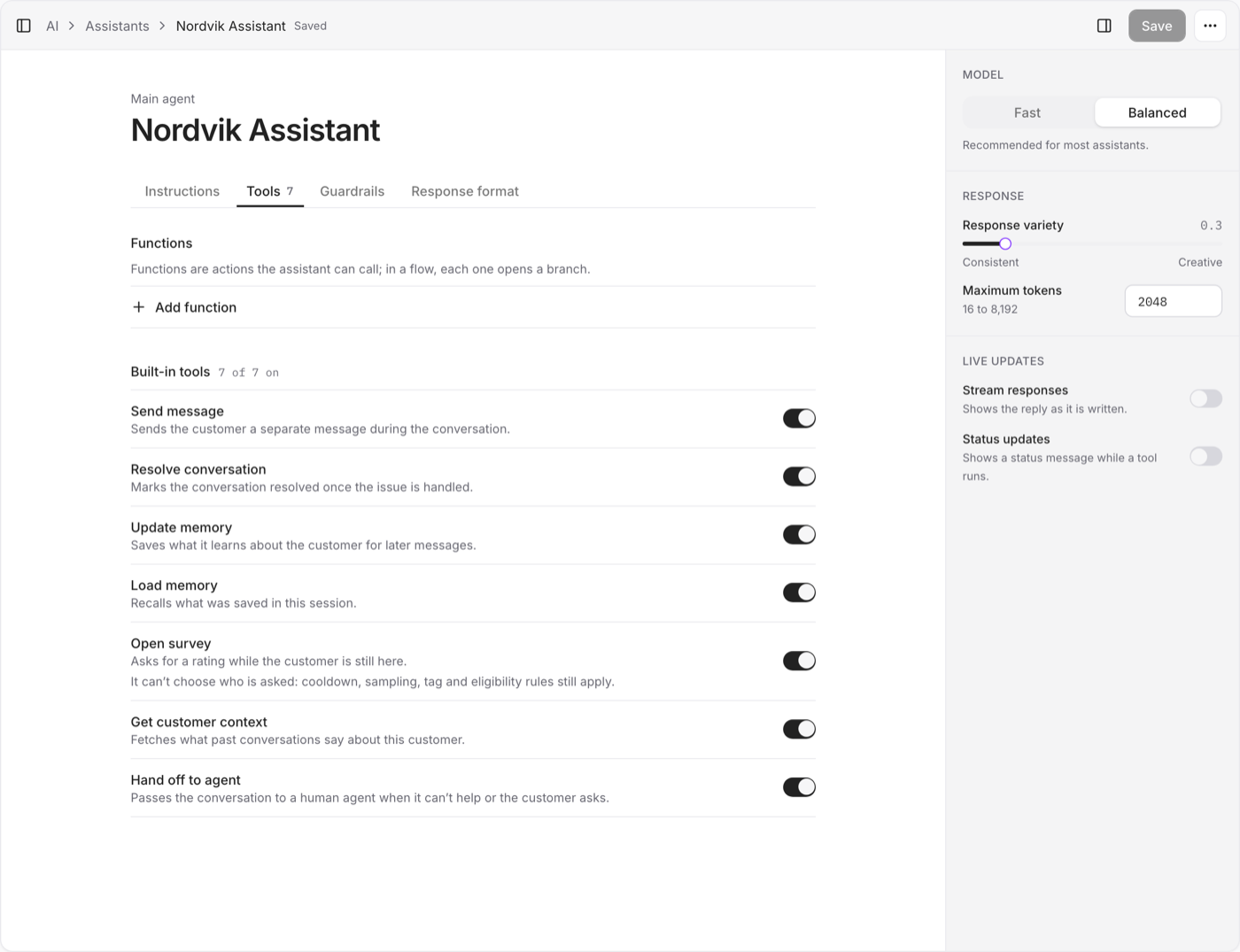
Depending on its configuration, Agentic AI can:
- Read customer and conversation context
- Search connected collections
- Filter products by details such as size, price, color, or stock
- Remember useful values during the conversation
- Send messages and options
- Resolve the conversation when the request is complete
- Hand the conversation to your team
- Use connected commerce tools to check orders or live catalog data
The assistant chooses a tool based on the conversation. You do not need to build a separate flow branch for every possible question.
When to use it
Use Agentic AI when you want the assistant to handle a request from start to finish. A simple Start → Agentic AI flow is enough for many support cases.
Connect reliable knowledge and write clear instructions before adding more flow steps. If answers are weak, first check what the assistant can access and what its instructions say.
Agentic AI or Ask AI?
| Action | Use it when |
|---|---|
| Agentic AI | The assistant may need tools, several steps, or a handoff |
| Ask AI | You need one AI response at a fixed point in the flow |
Both actions are available in the AI and data actions group.