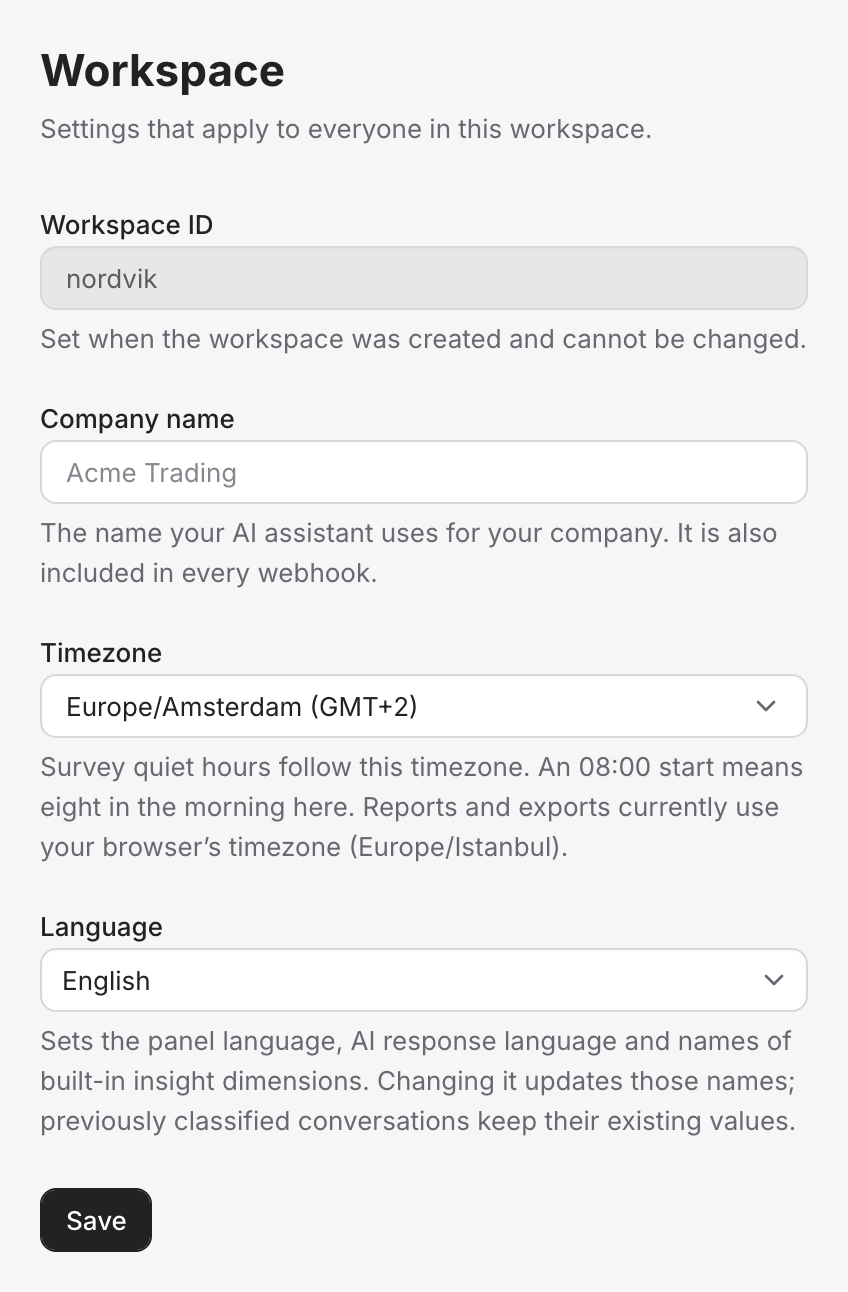
Organization settings
Your account-wide basics — company name, timezone, language, and how conversations wrap up.
Organization settings are the account-wide basics — the details that apply across your whole Vivollo workspace rather than to one assistant or flow. There aren't many, and you'll set most of them once when you start.
Your identity
A few settings establish who you are, and they ripple out across the platform:
- Company name — your brand name. It's used wherever the agent or a message refers to your business, so set it to exactly how you want to be called.
- Default language — the primary language for your workspace (for example, Turkish or English). This shapes the default experience and how AI-generated content reads. More on this in Localization.
- Timezone — the timezone your account works in, so dates, schedules, and reports line up with your actual day.
Conversation behavior
You can also tune how conversations behave at the account level:
- Auto-resolution timing — how long an inactive conversation waits before it's automatically marked resolved (the default is about an hour). This keeps your inbox from filling up with chats that quietly ended without a formal goodbye. If your conversations tend to run long with gaps, you might lengthen it; if they're quick, shorten it.
What lives elsewhere
A few things you might expect here have their own homes, because they're big enough to deserve dedicated pages:
- Team members and roles → Team & roles
- Your plan, limits, and usage → Plans & limits
- Languages and translation → Localization
- API keys and webhooks → Developer
Organization settings apply to your whole workspace. Everything customer-facing — how the agent talks, what it knows, the rules it follows — is configured per assistant, flow, and collection, so different parts of your agent can behave differently while these account basics stay consistent.