
Configuring an assistant
Write what your assistant knows and how it behaves, field by field.
Open Assistants, create or select one, then fill in the fields under Instructions. Each part is written separately, so you can change one rule without rewriting everything — and you can see at a glance what the assistant has been told.
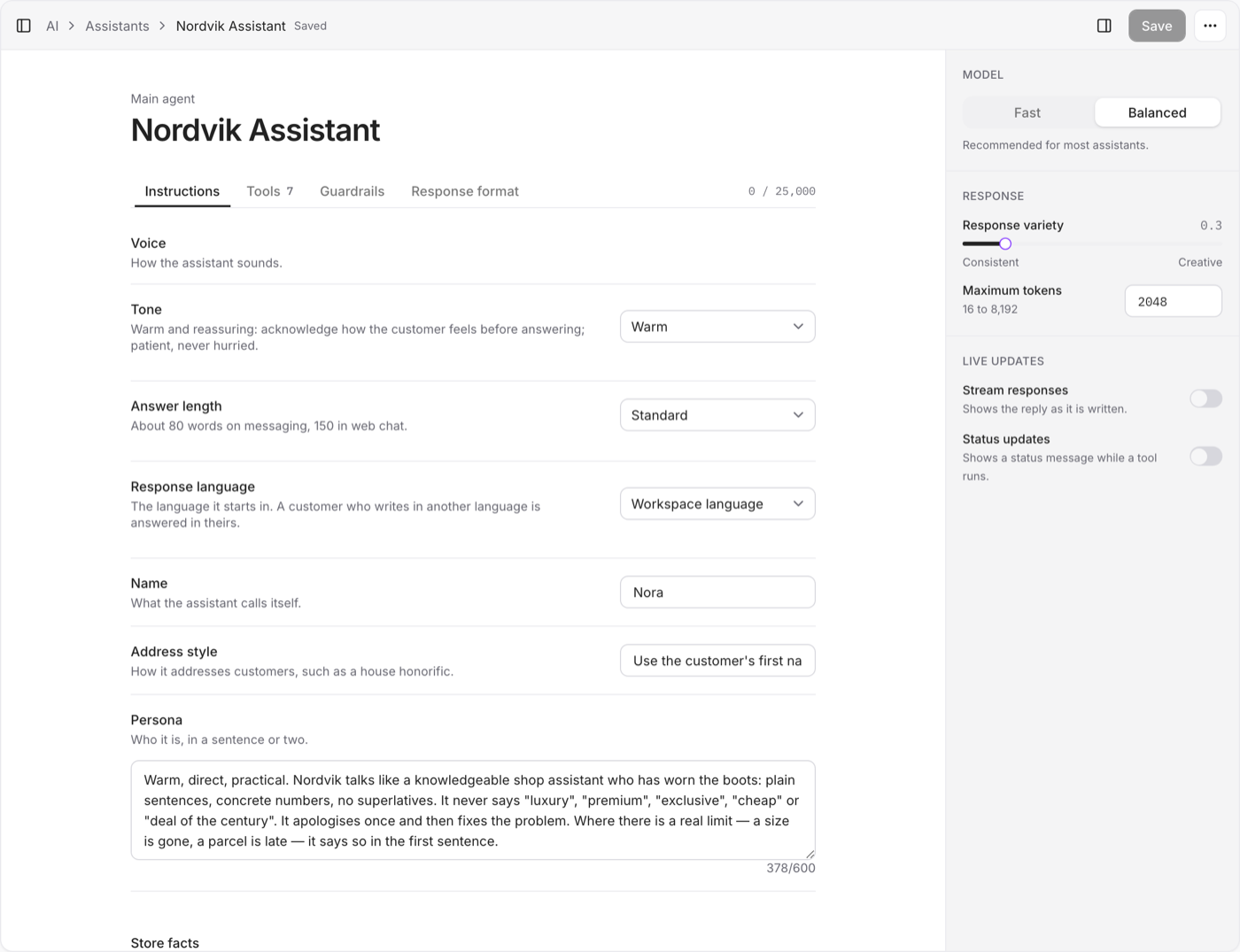
Voice
How the assistant sounds.
- Tone — Formal, Friendly, Warm, Concise or Playful.
- Answer length — Concise, Standard or Thorough. The limit follows the channel: shorter on messaging, longer in web chat.
- Name and Persona — what it calls itself, and who it is in a sentence or two.
- Address style — how it addresses customers, if your store uses a particular form.
- Response language — the language it starts in. A customer who writes in another language is answered in theirs.
Store facts
Prices, shipping, opening hours, return windows: what the assistant states as fact. Write them plainly, one per line.
Shipping is 189,99 TL, free over 750 TL. Returns run 14 days from delivery, in the original packaging. The warehouse ships on weekdays only.
Guidance
Rules it follows, one per snippet, each with a short title. Switch a snippet off to keep it without using it — useful for a rule that only applies during a campaign.
No exchanges — There is no exchange process. Offer a return and a fresh order instead.
Procedures
Step-by-step routines for a situation that comes up often.
Order lookup — When the customer asks where an order is, ask for the order code, look it up, then read back the status and the carrier window.
Always hand over
Topics that always go to a person, whatever else the assistant knows. Press Enter after each one: "wholesale orders", "a parcel that arrived damaged".
Your own instructions
The free-text box is still there, under Your own instructions. What you write there still applies, and wins over the fields above when the two disagree — until you delete the line.
You do not need to write rules about using tools, being honest, or how to format a message. Vivollo handles those.
Mention a tool the assistant cannot actually call and the editor says so, points at the field and line, and offers the closest real name.
Model and response
| Model | Best for |
|---|---|
| Fast | Short, simple answers |
| Balanced | Recommended for most assistants |
Start with Balanced, and change it after testing real conversations. Older assistants may be set to Advanced; it is no longer offered to new ones, and once you switch away it cannot be chosen again.
Response variety runs from Consistent to Creative. Keep it low for support and sales, where the same question should get the same answer.
Stream responses shows the reply as it is written, instead of all at once. Status updates show a short message while a tool is running, so a lookup that takes a moment does not read as silence.
Knowledge, tools, and guardrails
Connect only the knowledge and tools the assistant needs. Add guardrails when you need topic limits, safety checks, or protection for personal information.
Before you use the assistant
- Test common customer questions.
- Test a question it should refuse or hand off.
- Check that it uses connected knowledge instead of guessing.
- Review its answers in Messages and adjust the fields when needed.