
The inbox
Read conversations, see customer context, and take over when a teammate is needed.
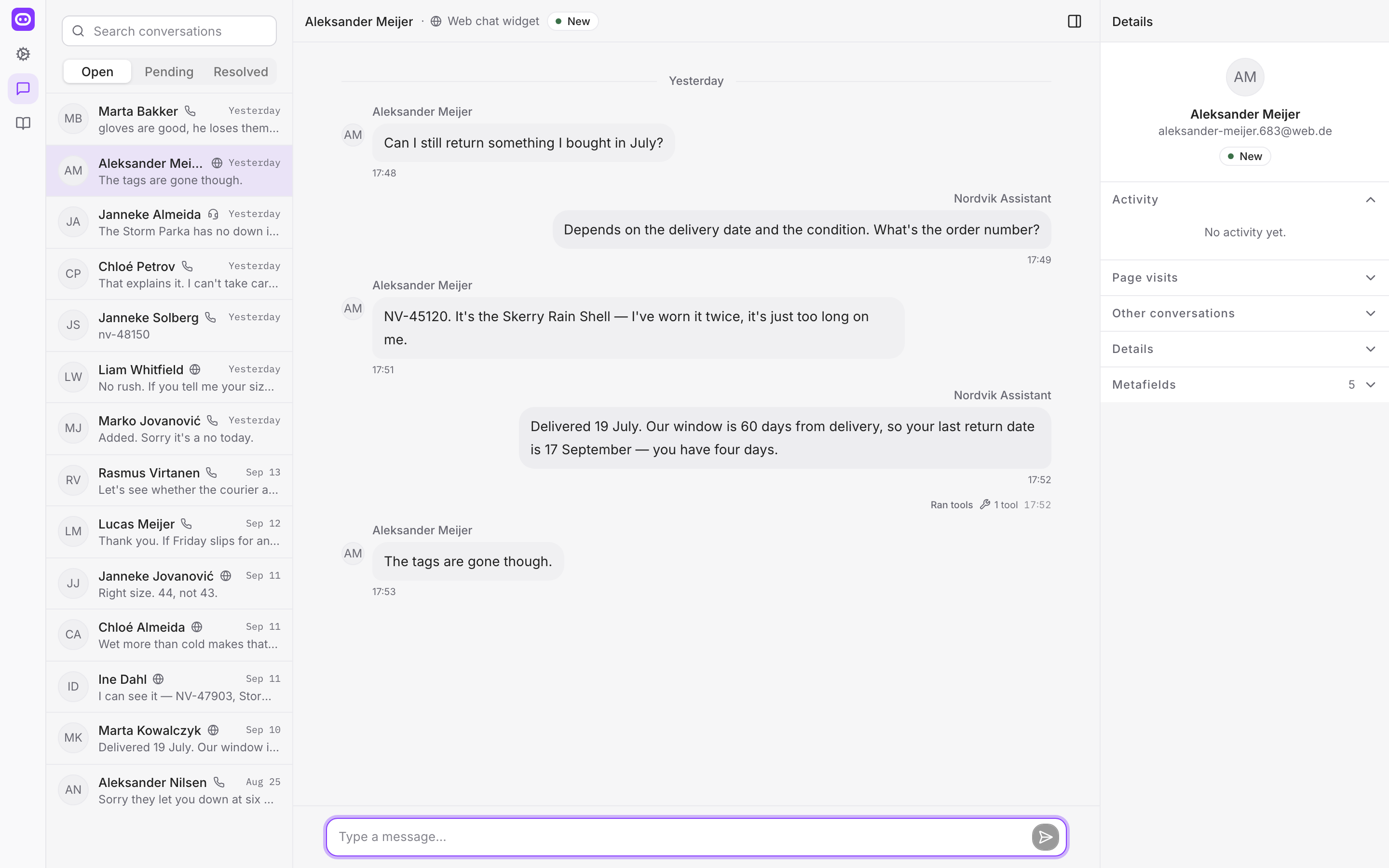
Open Messages to see active and past conversations.
Find a conversation
The list is split into Open, Pending and Resolved. Each row shows the customer, which channel they came in on, a preview of the last message and when it arrived.
Search finds a conversation by the customer's name or by a word from the messages.
Read the full conversation
Select a conversation to open its message history. Customer, AI, and teammate messages are shown separately. Page visits and links to earlier conversations can also appear in the thread.
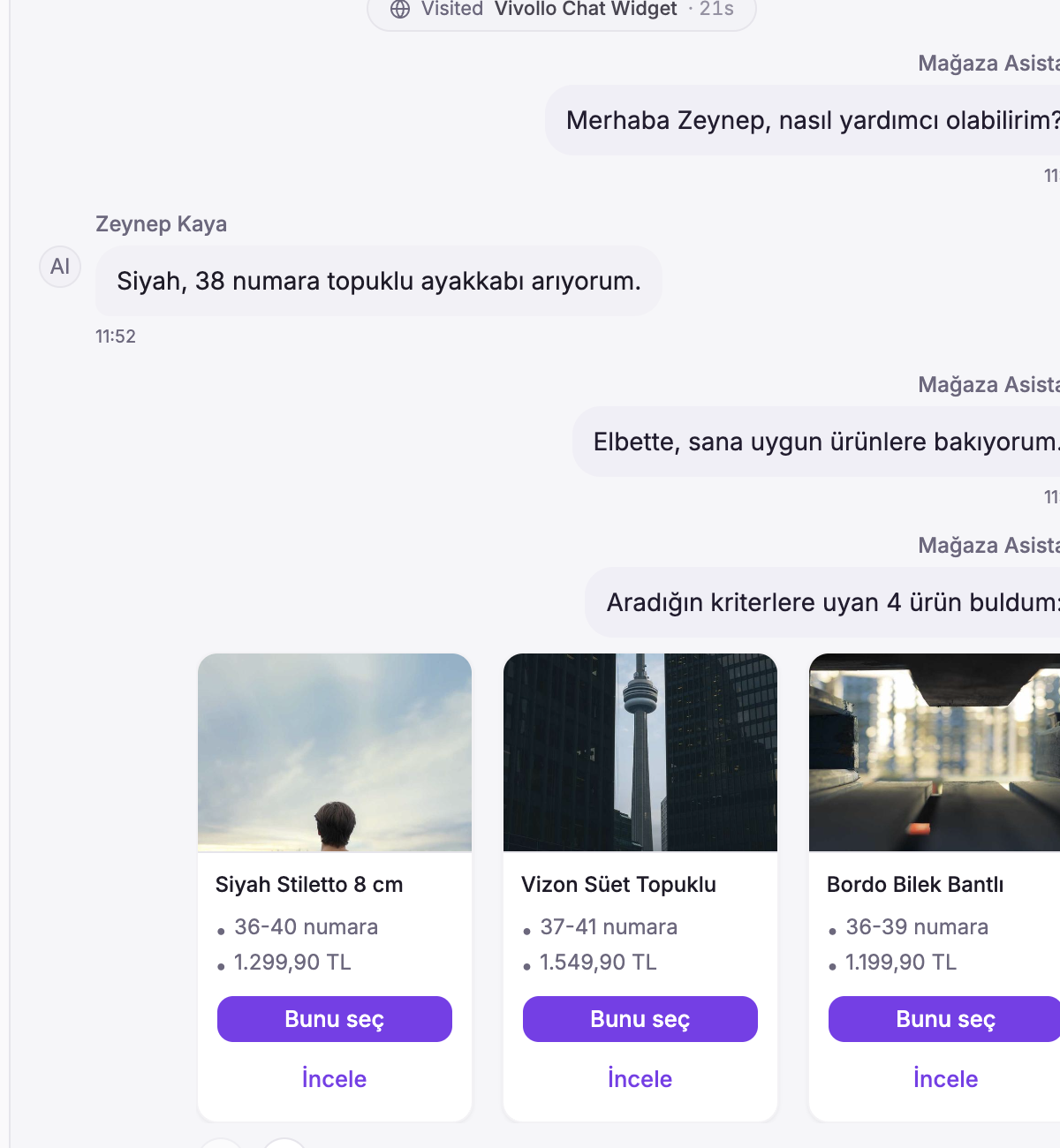
Carousels stay together with their intro text, controls, time, and delivery status. If the results have several pages, the inbox shows the page and total result information.
Check the tools used by AI
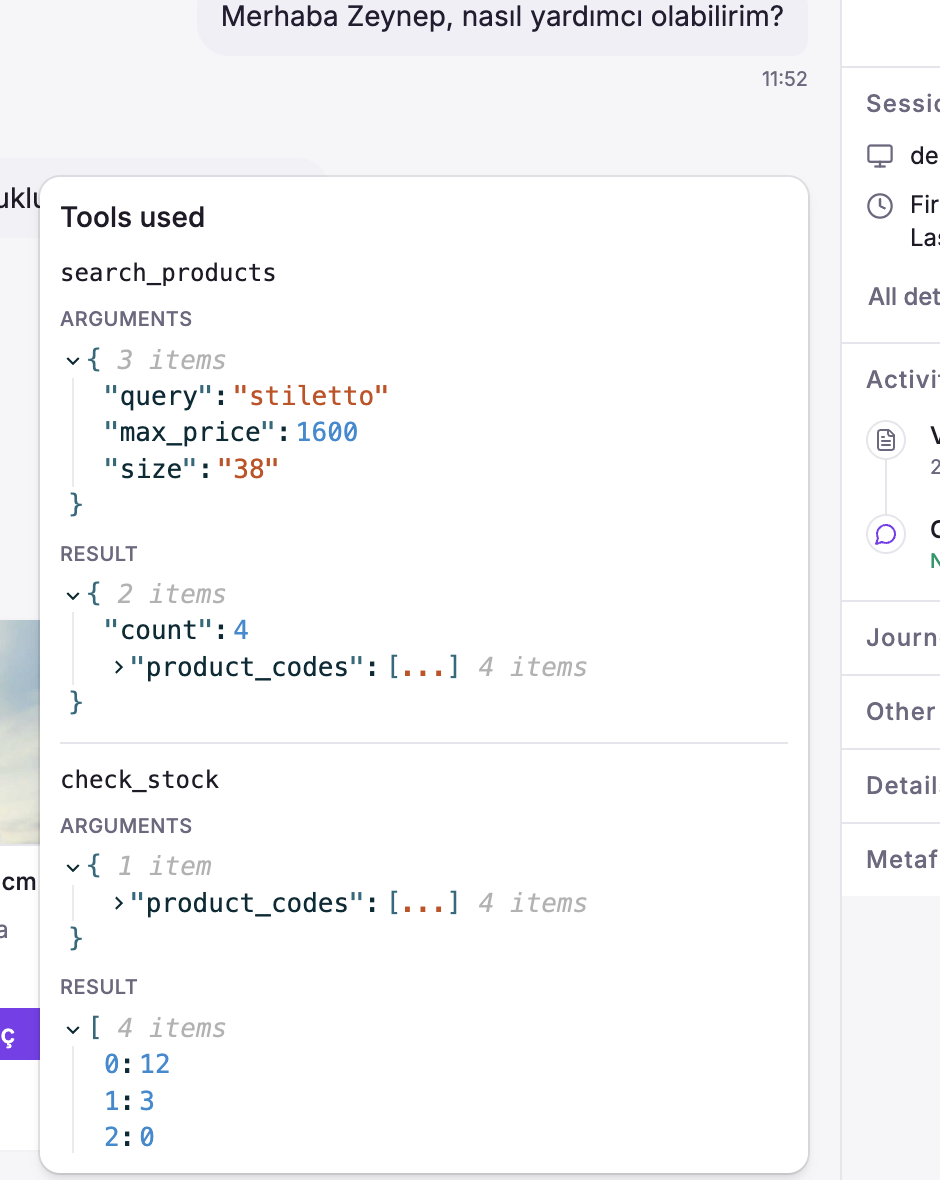
If an AI message used a tool, a tool count appears next to the message details. Open it to see the request and result. This helps when you review an answer or take over the conversation.
Only team members can see tool details.
See customer context
Details on the right holds everything known about this customer:
- Activity — what happened in the conversation, in order.
- Page visits — the pages they looked at, and how long for.
- Other conversations — everything else they have written to you.
- Details — device, browser, country, city, time zone, how they found you.
- Metafields — your own fields, filled in during the conversation.
See The visitor journey for how this is collected.
Reply or take over
From the inbox you can:
- Send text, options, carousels, forms, images, or files.
- Add tags or assign a teammate.
- Resolve the conversation when the request is complete.
Sending a message in an AI-managed conversation starts the human takeover. See Live handoff for the full process.
Message and conversation status
Messages update in real time. Delivery and provider rejection information also appears without refreshing the page.
Conversation statuses are:
- New or Open — active.
- Pending or On hold — waiting.
- Resolved — completed.
- Closed — archived.
Resolving a conversation does not delete its history.