
Rich messages
Send text, buttons, carousels, and forms from the Send message action.
Add Send message to a flow, then choose the message type the customer should see.
Text
Use Text for short answers, updates, and confirmations.
- Keep one idea in each message.
- Add variables when needed:
Order {{order_id}} ships tomorrow. - Turn on Auto-translate to use the conversation language.
Options
Use Options when the customer should choose from buttons.
How can I help?
[ Track order ] [ Start return ] [ Talk to a person ]
Each button can save a value or continue to another step. Turn on Required for a list you created manually if the flow should wait for a button click.
Options can also be created from a list returned by a search or API.
Carousel
Use Carousel for products, locations, or plans that are easier to compare as cards. A card can include:
- A title and short highlights.
- One or more images.
- Buttons that open a link or return a value to the flow.
Add a short intro message above the cards. WhatsApp requires it.
Show live results
To turn a search, tool, or API result into Options or Carousel content:
- Set Content source to From variable.
- Choose the result list, such as
{{cx.last_documents}}. - For a carousel, add Card buttons once. Use fields such as
{{item.url}}and{{item.product_code}}for each card.
Add a “Show more” button
For a long list:
- Set Page size to the number of results to show at once.
- Add a “Show more” option with the value
{{cs.pagination_next}}. - Connect it back to the same Send message step.
The next click shows the next part of the same list. On the last page,
{{cs.pagination_next}} is empty. Use a
Conditional to hide “Show more” when
there are no more results.
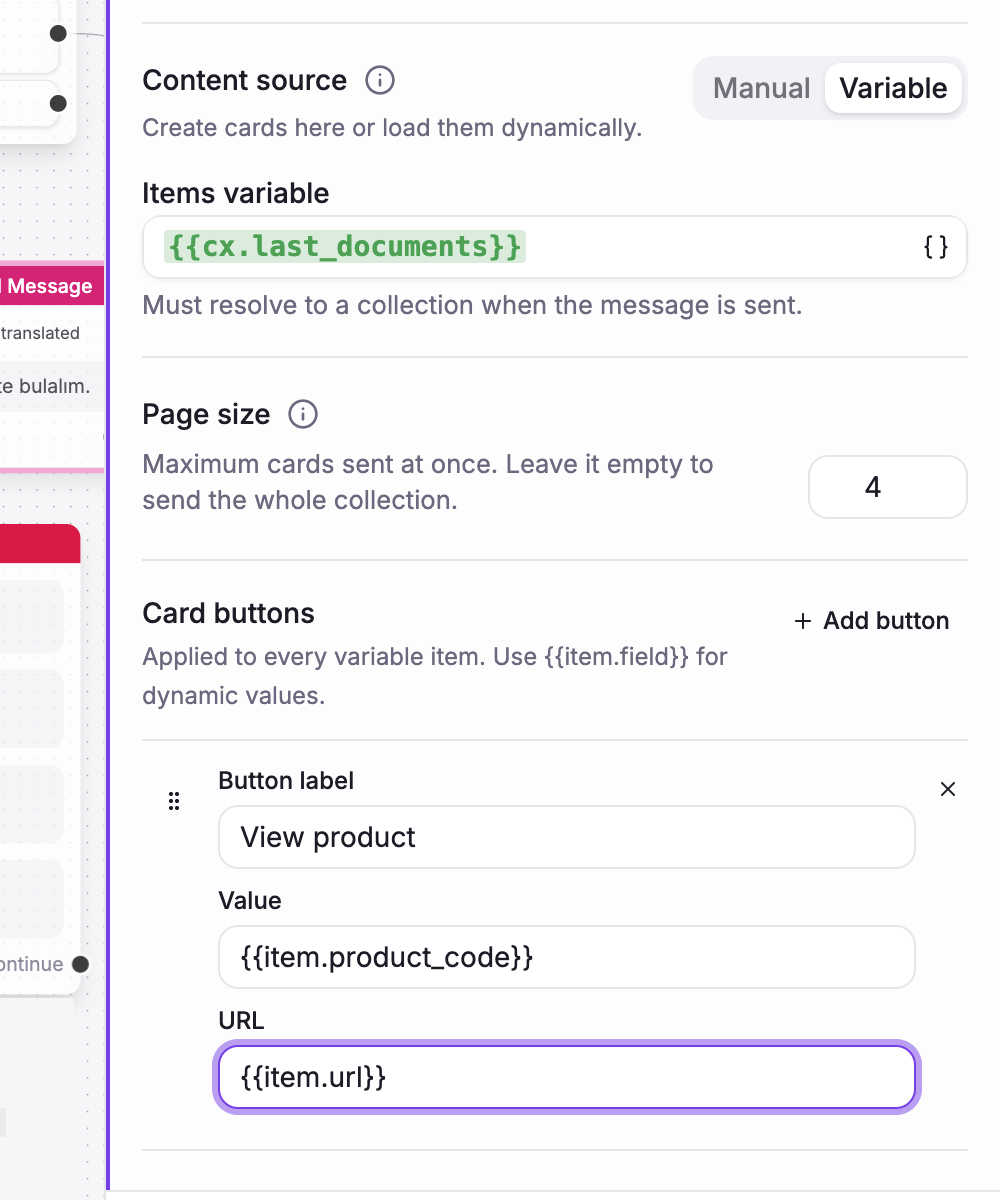
WhatsApp shows up to three option buttons or ten carousel cards in one message. Keep the page size within these limits for WhatsApp flows.
Form
Use Form when you need several fields together, such as an address, booking, or support request. Each field is validated before the form is submitted.
For one typed answer, use Text with reply capture. For name, email, and phone, use Capture user. See Messaging & capture actions.
Choose the right type
| Task | Message type |
|---|---|
| Send an answer or update | Text |
| Offer a short choice | Options |
| Show visual items | Carousel |
| Collect several fields | Form |
| Save one typed answer | Text with reply capture |