Vivollo

Analytics

The deeper numbers behind your agent — conversation and customer trends, flow performance, and period-over-period comparisons.

Where the Dashboard gives you the pulse, Analytics gives you the trend lines. This is where you go to answer questions like "are we busier than last month?", "which flows actually get used?", and "where do conversations stall?"

Three lenses on your activity

Analytics looks at your activity through three lenses, and you can switch between them depending on what you're trying to understand:

  • Conversations — volume and how it moves over time. The big-picture heartbeat of your support and sales.
  • Customers — how many distinct people you're talking to. Useful for telling "a few people with lots of questions" apart from "lots of new people."
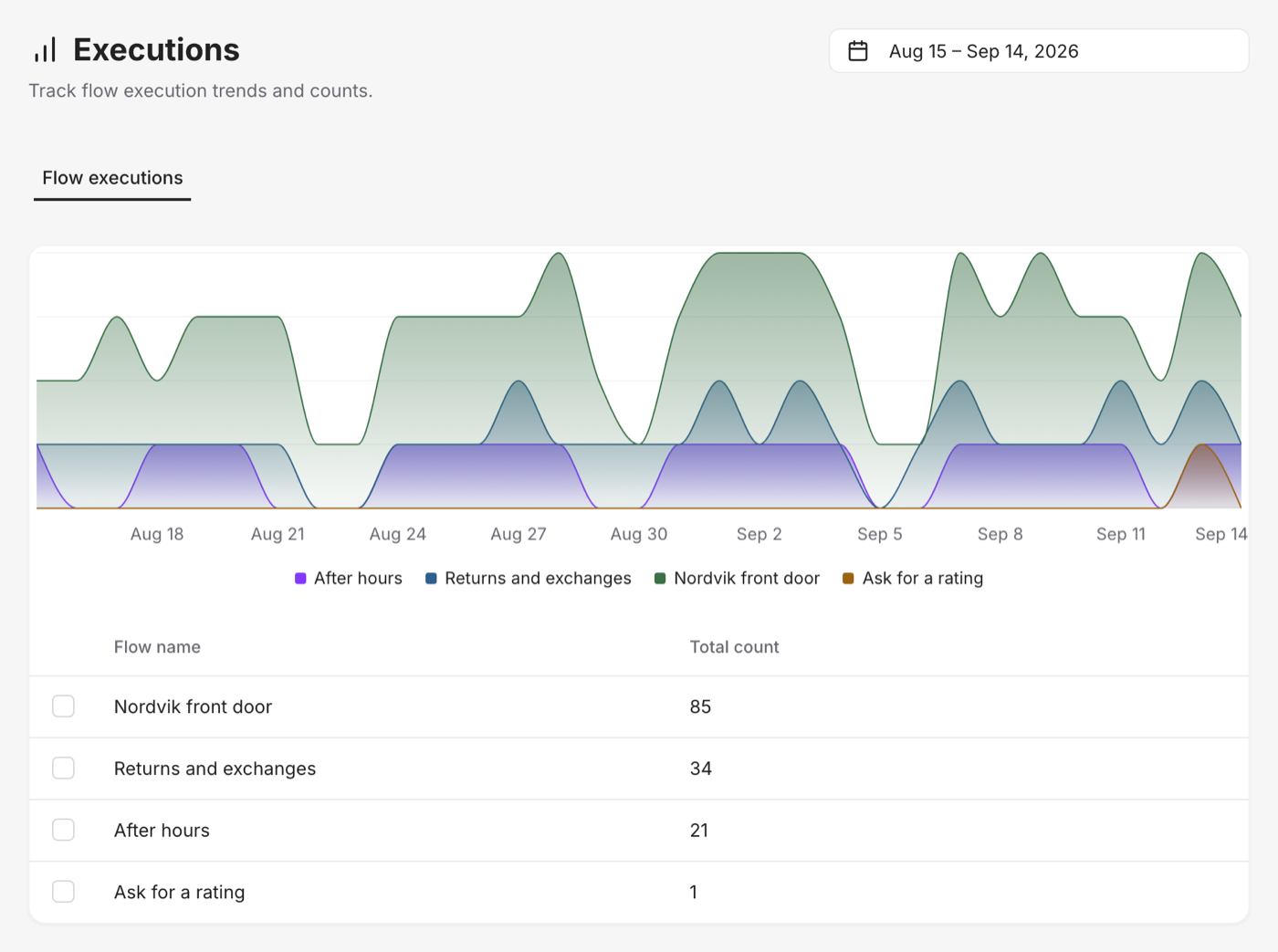
  • Flows — how your automation performs: which flows run most, how often each action fires, and the paths conversations actually take through them.

Reading the numbers

Each lens can be summarized a few different ways, so you see the shape that matters:

  • A count for a point-in-time total.
  • A sum for a running total across the period.
  • An average, or the highest and lowest values, when you care about typical behavior or extremes.

And because a number alone rarely tells you much, Analytics lets you turn on comparison — placing the current period next to the one before it (same length, no overlap) so you instantly see whether things went up or down.

"Is this good?" is hard to answer from a single number. Turn on comparison and the question answers itself: up 18% over last month means a lot more than 412. Always look at the trend, not just the total.

Following the flow

The Flows lens is where Analytics earns its keep. Beyond raw counts, it shows you the paths conversations take — which branches are popular, where people drop off, and which actions do the heavy lifting.

This is gold for tuning. If everyone funnels into one branch you barely built out, invest there. If a step you thought was important almost never runs, maybe it's in the wrong place. Let the paths guide where you spend your effort.

Analytics vs. Insights

It's worth knowing the difference between the two reporting areas:

  • Analytics answers "how much and how often?" — the quantitative health of your conversations and flows.
  • Insights answers "why and about what?" — reading the content of conversations to surface topics, sentiment, and gaps.

You'll use both: Analytics to see that something changed, Insights to understand why.