
Building a survey
Write the questions, decide who gets asked, and publish.
In beta. Surveys are being tested on selected accounts and are not switched on for every workspace yet.
Open Surveys → New survey, give it a name only your team sees, and pick what you are measuring. Every workspace starts with a draft already filled in, so you can usually publish in a minute.
The editor has three tabs: Questions, When to ask and Languages.
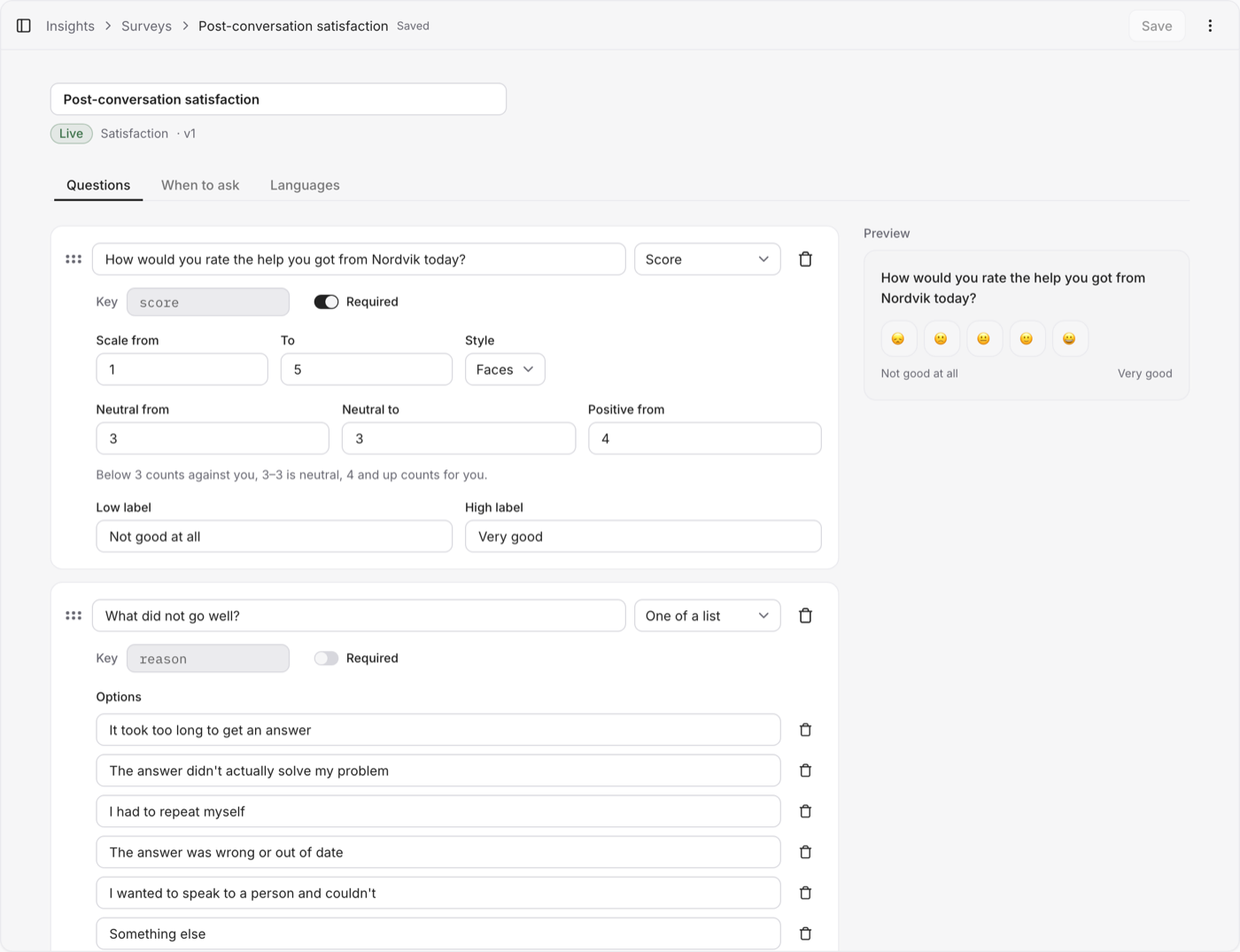
Questions
The first question is the score. Choose how it looks — Faces, Stars, Numbers, Words or Thumbs — and set the scale. Shorter is better: a scale of three points or fewer arrives as buttons on WhatsApp and Instagram.
Add at most one follow-up:
- One of a list — a few reasons to pick from. Best for spotting a pattern.
- Free text — a comment in their own words.
Use Show only when so the follow-up appears only when it is worth asking, for example when the score is at most 2. A condition can only read a score question asked earlier in the survey.
Intro and Thanks are the lines before the first question and after the last answer.
Once answers exist, changing what a question asks does not rewrite them. The old answers stay in the report under their old shape, and the two will not add up into one number. Removing an option archives it instead of deleting it, so the answers that chose it still have a label.
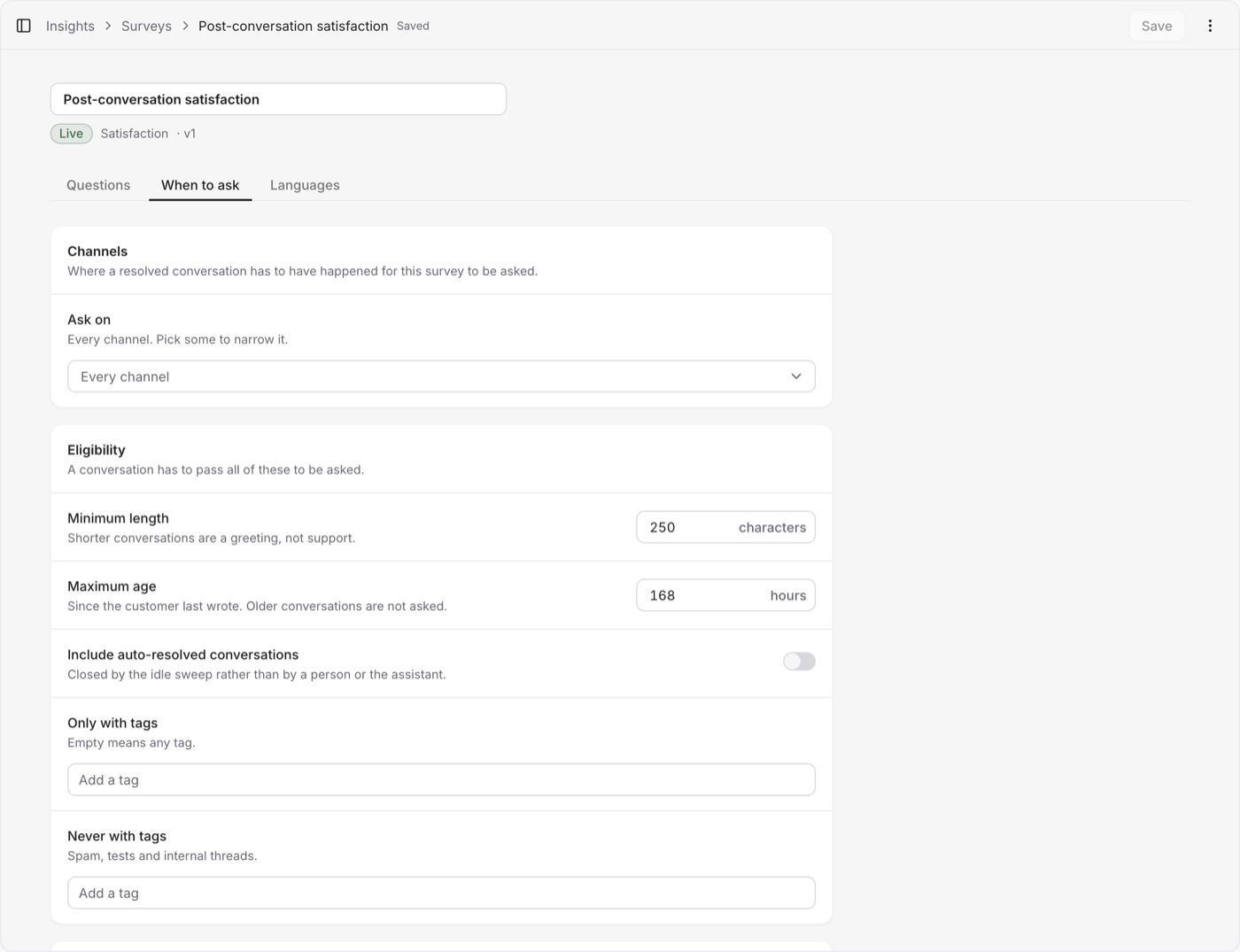
When to ask
Channels — every channel, or only the ones you pick.
Eligibility — a conversation has to pass all of these:
- Minimum length — shorter conversations are a greeting, not support.
- Maximum age — since the customer last wrote.
- Only with tags / Never with tags — keep spam, tests and internal threads out.
- Include auto-resolved conversations — ones closed by the idle sweep rather than by a person or the assistant.
Timing
- Delay — how long after the conversation is resolved. Zero asks while the customer is still there.
- Quiet hours — a send that lands in this window waits until it ends. The web widget is exempt; its card waits in the thread anyway.
Sampling — what share of eligible conversations is actually asked. Fewer answers means a wider margin of error, and the report says so next to the score.
Languages
Write the questions in each language you serve. The tab shows how much is translated and which fields are still empty — publishing is refused while any are. A customer whose language you have not translated sees the default one.
Publish
Publishing cuts a version — v1, v2, and so on — and only one survey can be live at a time. Conversations resolved from then on get this survey; nothing that has already ended is affected.
When you publish changes, surveys already open keep the wording they went out with until their response window closes. Nobody is asked a question halfway through a different survey.
Pause stops new sends without losing anything. Archive takes it out of the list and keeps its answers; filter the list to Archived to bring it back as a draft.