
Customer surveys
Ask customers how a conversation went, and see the answers as numbers.
In beta. Surveys are being tested on selected accounts and are not switched on for every workspace yet. Ask us if you would like to try them.
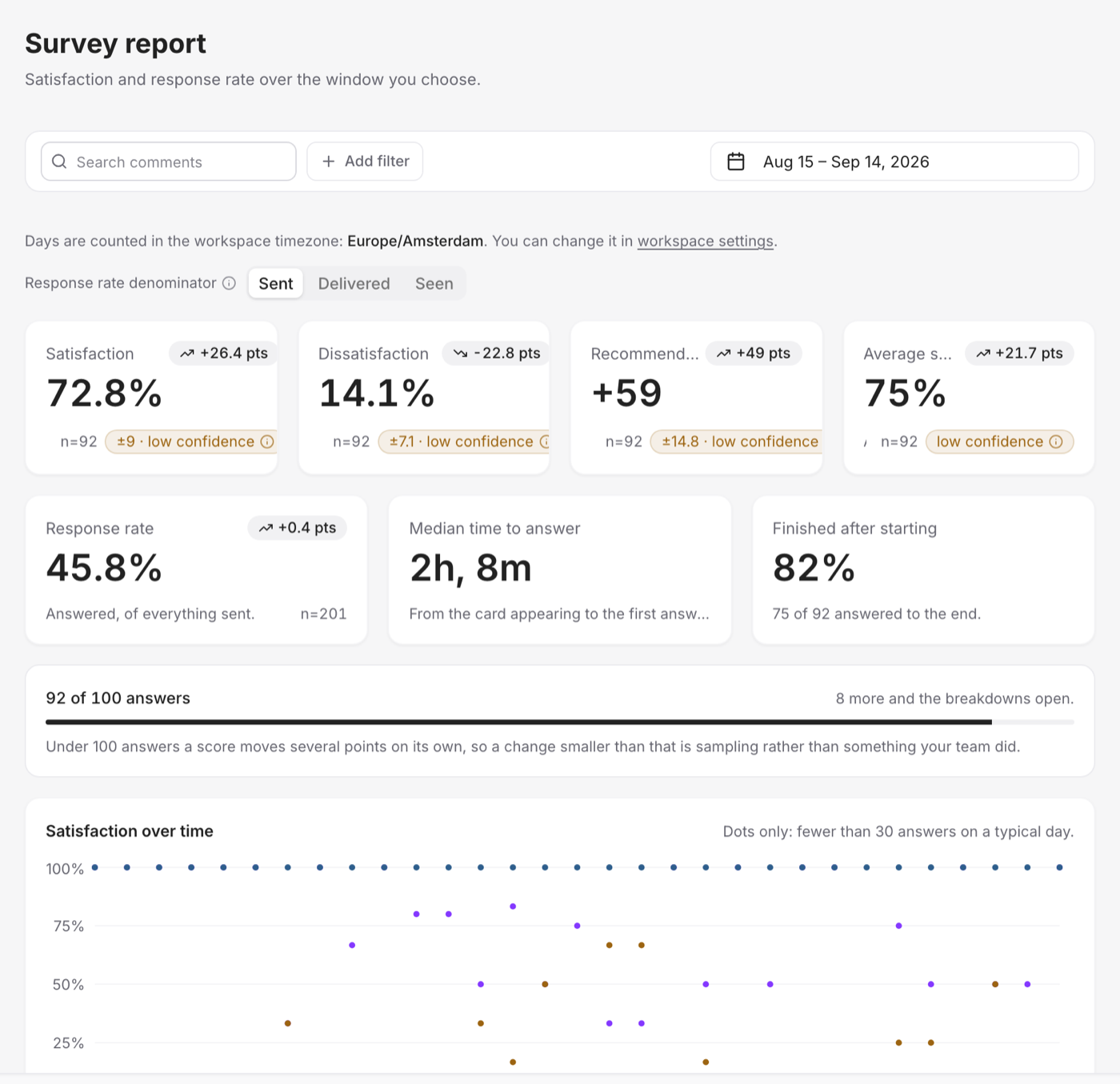
A survey asks a customer to rate a conversation once it is resolved, and — when the score calls for it — asks one follow-up question about why. Two questions at most. The answers become numbers you can filter and compare, instead of opinions buried in transcripts.
What you can measure
You choose this when you create the survey, and it cannot be changed later:
| What it asks | |
|---|---|
| How the conversation went | Were they happy with it. Where most support teams start. |
| How hard it was | How much effort it took to get an answer. Effort predicts churn better than delight does. |
| Would they recommend you | A fixed 0–10 scale with fixed bands, so the number is comparable with everyone else's. |
Where it is asked
The survey goes out on the channel the conversation happened on.
- Web chat — a card appears in the thread. There is no time limit: it is there the next time the customer opens the chat.
- WhatsApp and Instagram — a scale of three points or fewer arrives as tappable buttons; anything longer arrives as a numbered question the customer answers with a number. Once the provider's messaging window closes, the survey is emailed instead — and only to an address the customer actually gave you.
Before anything goes out
Surveys → Settings → Send surveys is off by default. You can build and publish a survey while it is off; nothing reaches a customer until you turn it on.